 Quick Balance
What it does
Everything here is in the app today. Nothing on this page is a plan.
-
Airtime and data in one tap
One button checks both. Open the app and it refreshes on its own if what it is holding has gone stale.
-
Your network's menus, inside the app
Data plans, voice plans, LendMe, roaming, top up, CallMe, query bill — the same screens your network sends, drawn as buttons you can read and tap.
-
No popup to fight with
While a check runs, the app covers the phone's own dialog with its own screen, so you see "checking" instead of a system popup flashing past.
-
It tells you before you run out
Cards for low credit, low data and a bundle about to expire. One notification, and only ever this one: you have not checked in over a week.
-
Where your data went
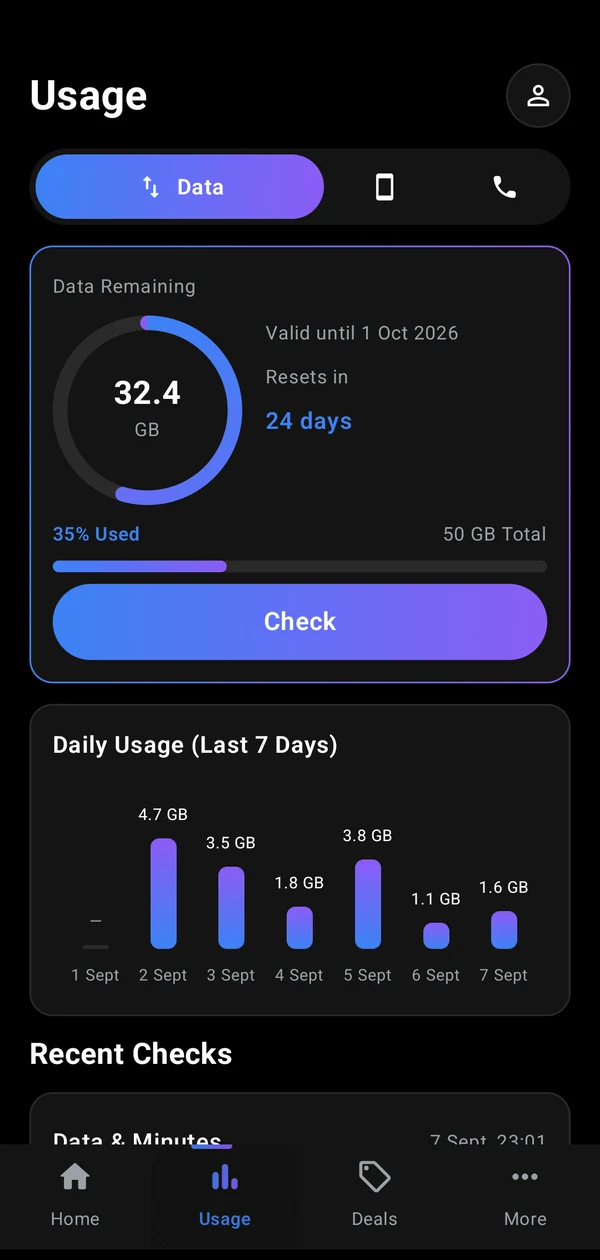
A seven-day chart and a running list, built from your own checks. Nothing is fetched from anywhere to make it.
-
Follows your phone
Light and dark to match your system setting, and it honours your animation settings if you have turned motion down.
Or never open the app at all
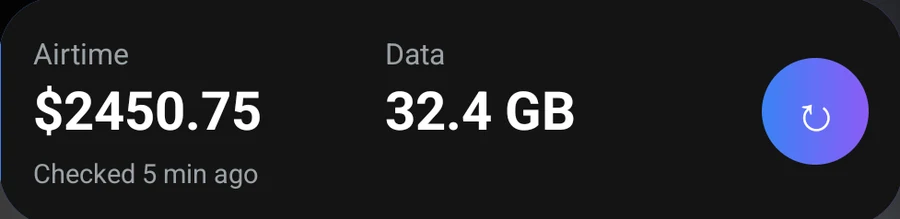
Put your airtime and data on the home screen. The tile shows what you had at the last check and how long ago that was, and the button runs a fresh check without opening anything. It turns red when credit is low.
It warns you before your network does
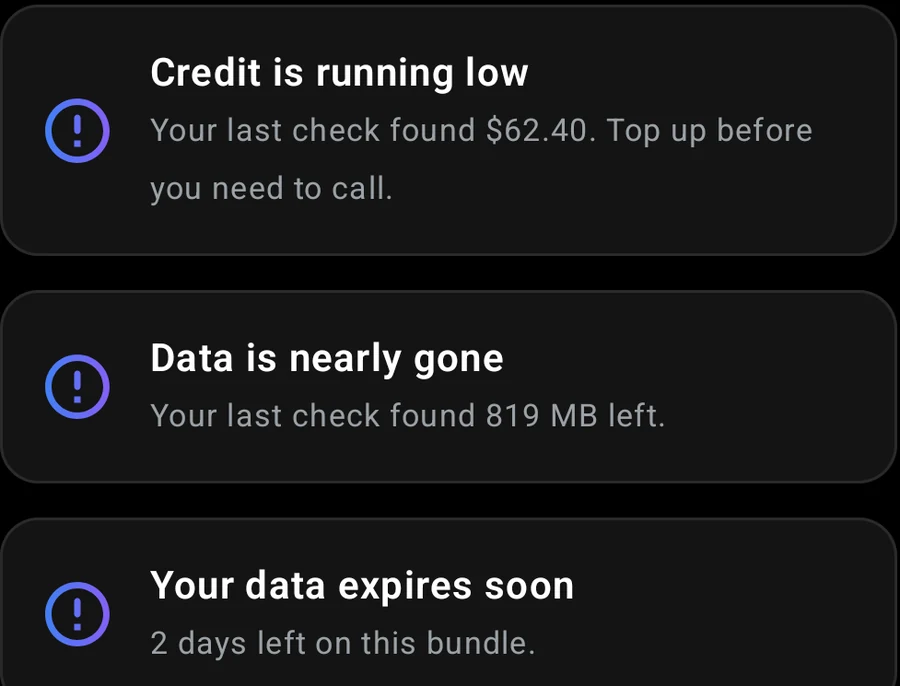
The app compares each check against the last one, so it can tell you that credit is low, that data is nearly gone, or that the bundle you are on runs out in two days.
You choose the credit level that counts as low. The default is $100.
A week of your own data, from your own checks
Every check is kept, so the app can show what you used each day and how much of the bundle is left. Days you did not check stay blank rather than guessing at a number.
Your network only ever tells you what is left, never what the plan started with. The app works the total out from your history, and you can set it yourself if you would rather be exact.
Watch the reader being switched on
Your network's answer arrives in a popup that belongs to the phone app, and Android's accessibility service is the only way another app can read it. So Quick Balance asks first: it explains what the reader does, you switch it on in Android's own settings, and Android shows its own warning before you allow it.
This is a real phone, recorded start to finish. After the last tap the app runs a check and the answer appears on its Home screen.
Quick Balance cannot send your information anywhere, because it cannot reach the internet.
The app does not ask Android for internet access. Not for analytics, not for crash reports, not for ads. Everything it knows about you sits in the app on your phone, and when you uninstall it, it goes.
- No account
- Nothing to sign up for, no password, no number to verify. Install it and check.
- No server
- There is no back end. Your figures come from your network, through your own SIM.
- Works on empty
- No data connection needed, so it still works when your bundle has run out — which is when you most want to look.